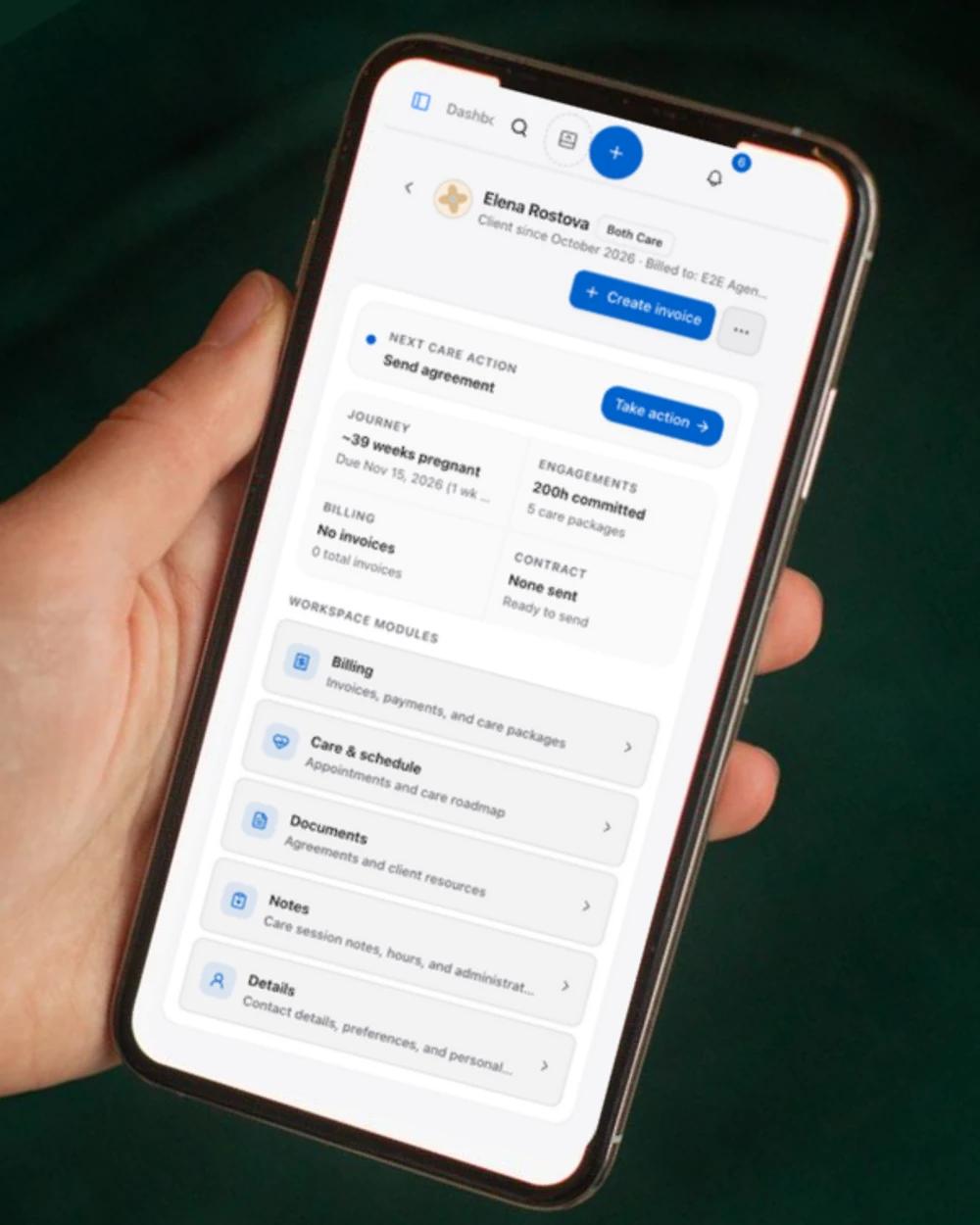
Actual dashboard · QA practice
Before the visit01 / 03
A family. Not a folder of loose ends.
Care preferences, due dates, and notes stay with each family. Pick up where you left off.
Practice management for doulas · Open beta
Clients, invoices, and agreements, together. Take a little look at life with DoulaBub.
Actual dashboard · QA practice
Care preferences, due dates, and notes stay with each family. Pick up where you left off.
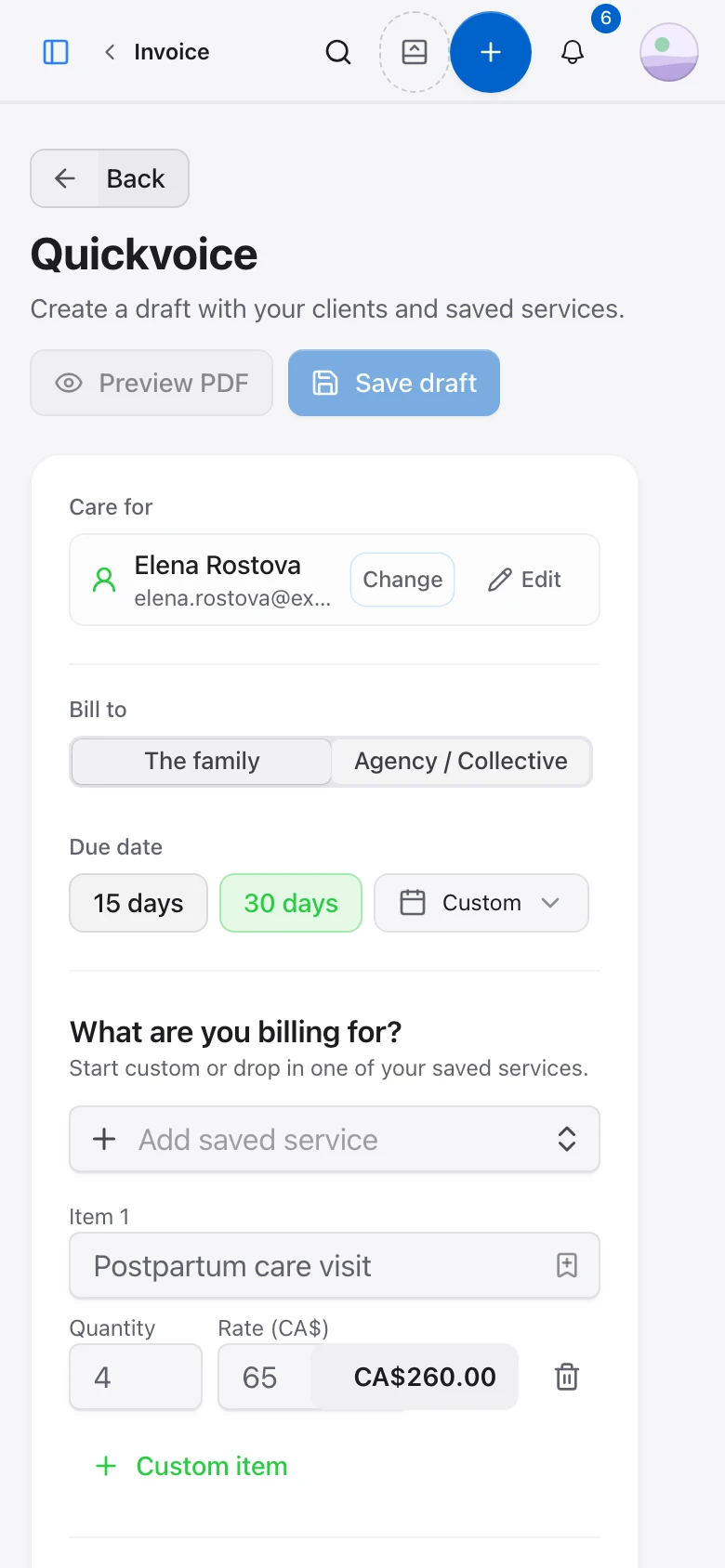
Actual dashboard · QA practice
Create an invoice from your saved services, add your own payment link, and keep track of its status.
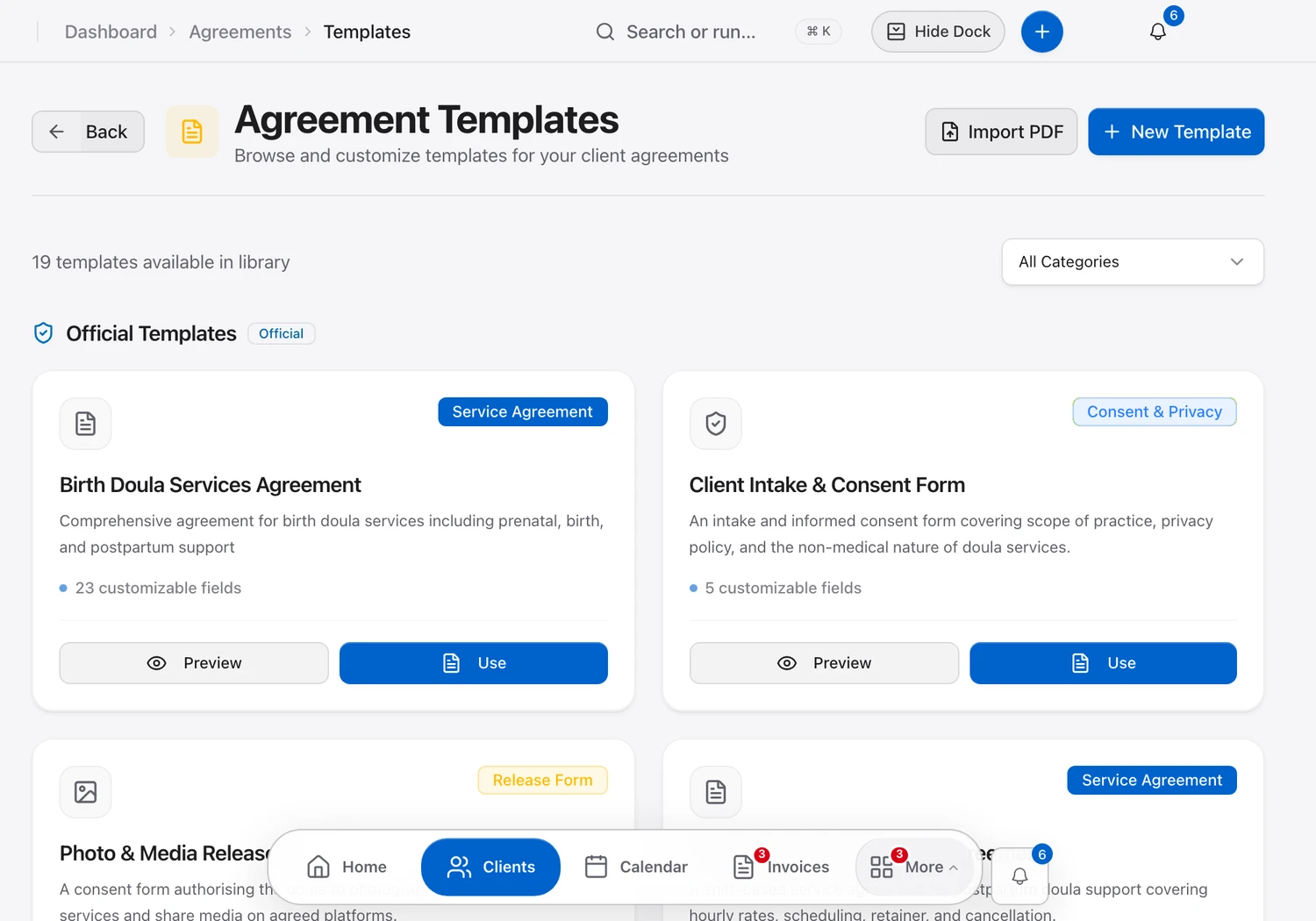
Actual dashboard · QA practice
Start from an agreement template, then send it to the family to review and sign.
That’s the little tour. There’s more below, including who’s building DoulaBub and how we look after your data.
DoulaBubkeepseachfamily'scare,appointments,agreements,andinvoicesinoneplace—soyouspendlesstimeonadminandmoretimewiththefamiliesyousupport.
Sign up with your email. DoulaBub is free during the open beta.
Two short steps: your practice details, then how you get paid. You can change any of it later in Settings.
Your dashboard walks you through adding a client, sending an invoice, and publishing your profile. Nothing goes to a family until you send it.
Send a family a private link after their care, with one gentle reminder a week later. They rate and write about their experience, and nothing appears on your public profile until you approve it.
List your practice in the DoulaBub directory, where families filter doulas by location and specialty, read about your services, and reach you through your inquiry form.
Free to get started — no credit card required. We're in open beta right now, so all core features are available for free. Paid plans for collectives, custom branding, and priority directory placement are coming later.
Use DoulaBub in the web browser on your phone, tablet, or computer. There's no app to download.
Solo doulas can use everything today. Shared workspaces for collectives are in beta: request one from your account and we review each request.

Tell us what works, what's missing, and what gets in your way. Every message reaches the two of us.
Your clients' names, contact details, addresses, and intake notes are encrypted at rest.
Each doula's records are kept separate from every other DoulaBub account.
Only your directory profile and the testimonials you approve are public. Client records, invoices, and notes are never shown on your profile.
Download a backup of your account any time from settings. It's a single JSON file with your clients, invoices, expenses, appointments, forms, messages, and testimonials. Uploaded files appear in it as a list with their details; the files themselves stay in your account to download separately. Want everything gone? Request deletion of your data.
Questions about your data? Email yves@doulabub.com or read the full privacy notice.
Practice management software for doulas. Keep client records, send invoices and service agreements, run your calendar, collect testimonials, and list your practice in a public directory, all in one place.
Free to get started — no credit card required. We're in open beta right now, so all core features are available for free. Paid plans for collectives, custom branding, and priority directory placement are coming later.
Client names, contact details, addresses, and intake notes are encrypted at rest, and each doula's records are kept separate from other accounts. You can export a backup or request deletion at any time. The privacy notice has the details.
No. DoulaBub runs in the web browser on your phone, tablet, or computer, so there's nothing to install from an app store.
Yes. Every doula can use DoulaBub on their own today. Shared workspaces for collectives are in beta: request one from your account, and we review each request.
You don't have to switch everything at once. There's no automatic import yet, so you can start by adding new clients in DoulaBub and move current clients over by hand as they come up, keeping your old system until you're comfortable. If you'd like help planning the move, email us. yves@doulabub.com
Need help using DoulaBub? Browse the step-by-step guides
Your records stay yours. Export your whole account as one file, any time.
Practice management for doulas · Open beta
Clients, invoices, and agreements, together. Take a little look at life with DoulaBub.
Actual dashboard · QA practice
Care preferences, due dates, and notes stay with each family. Pick up where you left off.
Actual dashboard · QA practice
Create an invoice from your saved services, add your own payment link, and keep track of its status.
Actual dashboard · QA practice
Start from an agreement template, then send it to the family to review and sign.
That’s the little tour. There’s more below, including who’s building DoulaBub and how we look after your data.
DoulaBubkeepseachfamily'scare,appointments,agreements,andinvoicesinoneplace—soyouspendlesstimeonadminandmoretimewiththefamiliesyousupport.
Sign up with your email. DoulaBub is free during the open beta.
Two short steps: your practice details, then how you get paid. You can change any of it later in Settings.
Your dashboard walks you through adding a client, sending an invoice, and publishing your profile. Nothing goes to a family until you send it.
Send a family a private link after their care, with one gentle reminder a week later. They rate and write about their experience, and nothing appears on your public profile until you approve it.
List your practice in the DoulaBub directory, where families filter doulas by location and specialty, read about your services, and reach you through your inquiry form.
Free to get started — no credit card required. We're in open beta right now, so all core features are available for free. Paid plans for collectives, custom branding, and priority directory placement are coming later.
Use DoulaBub in the web browser on your phone, tablet, or computer. There's no app to download.
Solo doulas can use everything today. Shared workspaces for collectives are in beta: request one from your account and we review each request.
Tell us what works, what's missing, and what gets in your way. Every message reaches the two of us.
Your clients' names, contact details, addresses, and intake notes are encrypted at rest.
Each doula's records are kept separate from every other DoulaBub account.
Only your directory profile and the testimonials you approve are public. Client records, invoices, and notes are never shown on your profile.
Download a backup of your account any time from settings. It's a single JSON file with your clients, invoices, expenses, appointments, forms, messages, and testimonials. Uploaded files appear in it as a list with their details; the files themselves stay in your account to download separately. Want everything gone? Request deletion of your data.
Questions about your data? Email yves@doulabub.com or read the full privacy notice.
Practice management software for doulas. Keep client records, send invoices and service agreements, run your calendar, collect testimonials, and list your practice in a public directory, all in one place.
Free to get started — no credit card required. We're in open beta right now, so all core features are available for free. Paid plans for collectives, custom branding, and priority directory placement are coming later.
Client names, contact details, addresses, and intake notes are encrypted at rest, and each doula's records are kept separate from other accounts. You can export a backup or request deletion at any time. The privacy notice has the details.
No. DoulaBub runs in the web browser on your phone, tablet, or computer, so there's nothing to install from an app store.
Yes. Every doula can use DoulaBub on their own today. Shared workspaces for collectives are in beta: request one from your account, and we review each request.
You don't have to switch everything at once. There's no automatic import yet, so you can start by adding new clients in DoulaBub and move current clients over by hand as they come up, keeping your old system until you're comfortable. If you'd like help planning the move, email us. yves@doulabub.com
Need help using DoulaBub? Browse the step-by-step guides
Your records stay yours. Export your whole account as one file, any time.
4 items
4 items
Create an invoice for a client. Try it with your own services.
Start custom or drop in a common doula service.
Create an invoice for a client. Try it with your own services.
Start custom or drop in a common doula service.
4 items
Comprehensive Birth Support Agreement
Maya Chen
Signed Sep 6, 2026
Postpartum Care & Lactation Services Agreement
Elena Rivera
Signed Aug 17, 2026
Labor Support & Infant Feeding Agreement
Sofia & Liam Brooks
Sent Oct 12, 2026
Antepartum Consultation & Birth Preferences
Nadia Okafor
Created Oct 13, 2026
4 items
Comprehensive Birth Support Agreement
Maya Chen
Signed Sep 6, 2026
Postpartum Care & Lactation Services Agreement
Elena Rivera
Signed Aug 17, 2026
Labor Support & Infant Feeding Agreement
Sofia & Liam Brooks
Sent Oct 12, 2026
Antepartum Consultation & Birth Preferences
Nadia Okafor
Created Oct 13, 2026